Start with the situations the alarm should cover
Before comparing personal alarms for older people, picture where help might be needed and who should receive the alert. A person who spends most of the day at home has different priorities from someone who walks to the shops or visits friends alone. Consider the rooms they use, the outings they make in a typical week, and whether they want family or another contact involved. Neighbour Check-In and Safety Guide is an independent English information guide, not an alarm provider or response service.
Calling for help at home
If the main concern is getting help at home, think about ordinary moments when reaching a phone could be difficult: getting out of bed at night, using the bathroom, or moving between the kitchen and living room. The alarm needs to be where the person can reach it during those activities, rather than left on a bedside table while they move around the house. Consider the whole area they use, including upstairs rooms or a frequently used back room; thick walls, stairs and the distance between rooms can affect whether a system works throughout the home. Also consider whether they spend time alone at home and whether they would actually keep the chosen device with them. For a person who stays mainly in one room, a simple arrangement covering that space may be enough; for someone moving around, choose an option suited to the full layout.
Contacting family
If the person wants a daughter, neighbour or other trusted contact involved, clarify what that person is expected to do when contacted. They might call to check in, visit if nearby, or help coordinate next steps; a relative who lives several hours away cannot offer the same practical help as someone around the corner. Discuss whether the older person wants family contacted first, informed alongside another service, or involved only for particular situations. Their preference matters: some people value a relative knowing about an alert, while others want more independence or do not want family disturbed during work hours. Check that each chosen contact agrees to the role and can be reached at the times it matters, including evenings or weekends. The best arrangement is one that matches the person’s wishes with contacts who can realistically respond.
Using an alarm away from home
If regular outings are part of the person’s routine, consider where an alert might be needed: walking to a nearby shop, taking public transport, or visiting a friend across town. A home-only arrangement may not meet that need once the person leaves its coverage area, so consider whether they would carry and use a device outside. Be realistic about habits: a device left at home for a short walk cannot help during that outing, even if it has useful features. Decide who should receive an alert when the person is away. A nearby family member may be able to check in, while someone who travels farther may prefer a response arrangement that is not dependent on a relative being close by. Choose for the journeys the person actually makes and the recipients they want involved, rather than for occasional trips they rarely take.
Types of personal alarm system
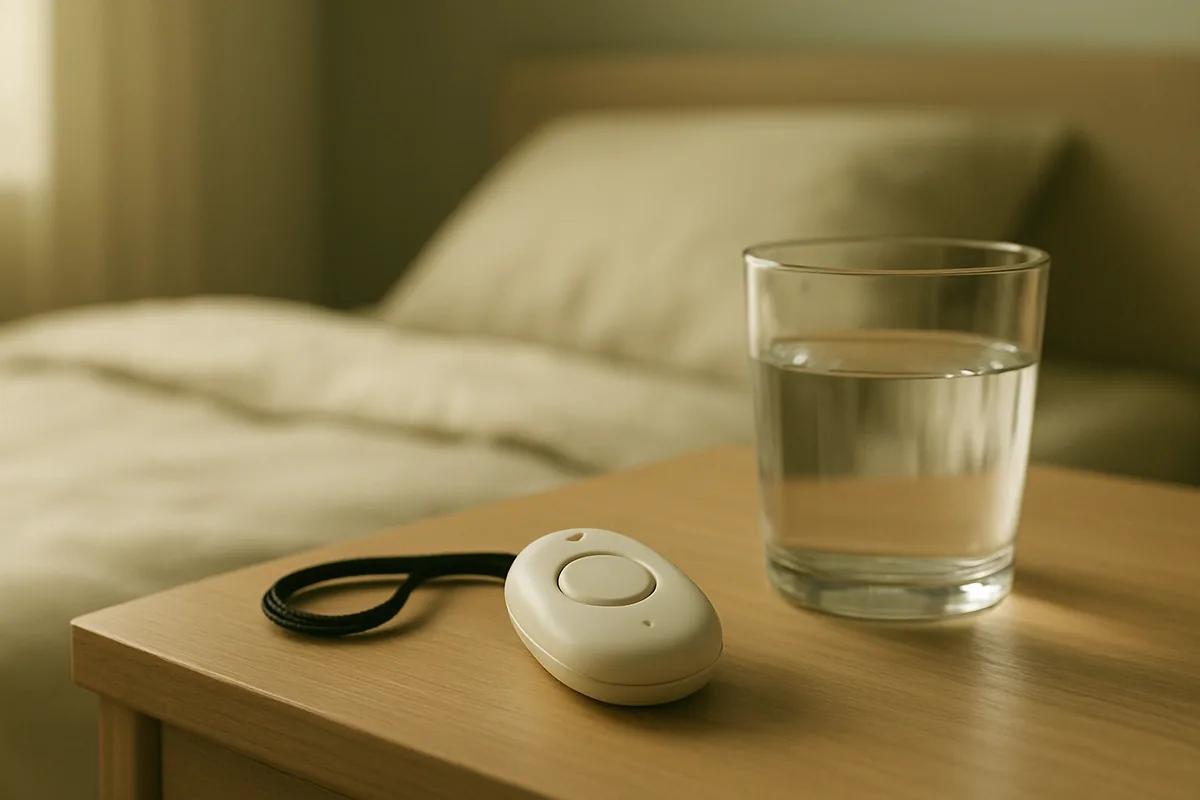
Personal alarms for older people vary in where they are intended to work, how they connect and who receives an alert. Some use a fixed home base, while others are carried outside and use mobile networks to send an alert. An alert may go to a monitoring service or directly to selected family members or carers. These differences affect where a system can be used and what happens when its connection is unavailable. Compare the system’s intended use, connection route and alert recipient before weighing up individual features.
Compare the main system types
System labels describe different parts of an alarm: a home base is equipment, while monitoring describes who receives an alert. A system may combine both, so compare the full setup rather than assuming each type works in only one way.
| Type | Intended use | Connection method | Alert recipient | Practical limitation |
|---|---|---|---|---|
| Home-base system | Use around the home, with a wearable button communicating with a base unit. | The button links locally to the base; the base may use a landline or cellular connection to send an alert. | A monitoring service or chosen contacts, depending on the setup. | The wearable must remain within the base unit’s operating range, and the base needs a working route to send the alert. |
| Monitored service | Use at home or, if the equipment and service support it, away from home. | The alarm sends its signal through the connection provided by the equipment, such as landline or cellular service. | A staffed monitoring centre receives the alert and follows the agreed response arrangement. | Service depends on an active subscription and a functioning connection; coverage and equipment differ between plans. |
| Device that contacts chosen people | Use when alerts are intended for family members, friends or carers rather than a monitoring centre. | Depending on the device, it may use a home base, mobile network or internet connection to place calls or send messages. | Selected contacts receive the call, text or app notification. | Delivery depends on the device’s connection and on contacts being reachable; it does not itself provide a staffed monitoring centre. |
| Mobile alarm | Carry outside the home as well as indoors, where the device and service support that use. | Typically uses a mobile network to send alerts; a GPS personal alarm for older adults may use satellite positioning to estimate location. | A monitoring service or chosen contacts, according to the service arrangement. | Mobile-network coverage affects alert delivery, and GPS location may be unavailable or less precise indoors. |
A home-base system may suit someone who mainly needs an alarm in the house, while a mobile unit is designed for use beyond the base’s range. A monitored service offers a defined route to a monitoring centre; a device that contacts chosen people instead relies on those contacts receiving and acting on its notifications. Some systems combine these approaches, such as a home base linked to a monitoring service, or a mobile device that sends alerts to relatives.
Check whether the listed equipment and connection are included in the service, and whether the alarm can be used at the locations that matter. The right comparison is the complete chain from wearable or device, through its connection, to the intended recipient—not the system label alone.
Connection needs and limitations
Before choosing a system, identify every connection it needs: a wearable may communicate with a home base over a local radio link, while that base uses a landline, cellular network or internet connection to send an alert. A device that contacts selected people may rely on a mobile network or Wi-Fi, and a mobile alarm generally needs cellular coverage to transmit an alert. GPS can help determine location, but it does not carry the alert to a contact or monitoring centre.
A break anywhere in the required connection path can delay or prevent delivery. For example, a landline-based unit cannot send an alert through that line during an outage, and a mobile device may not connect where cellular coverage is absent. Ask which connection the system uses at home and at regular destinations, whether it needs home broadband, and what indication appears when it loses service. Confirm that the stated coverage includes the places where the alarm will be used.
Check how the response works
An alarm can send a signal when its button is pressed or another trigger is activated, but the next steps depend on the service and the arrangements made in advance. Some systems route alerts to a monitoring team, while others contact family members or friends directly. A speaker and microphone may allow a conversation, although the person must be close enough to the connected device and able to hear it. Before choosing, check who receives the alert, what happens if nobody answers, and what each contact has agreed to do.
Who receives the alert
A personal alarm may connect first to a monitoring service or send an alert to people chosen by the user. With a monitored service, an operator receives the signal and follows the provider’s procedure, which may include trying to speak with the person and contacting the listed responders. Check whether the service is staffed at all hours and what information operators have about the user and their address.
Direct-to-contact systems may send a call, text or app notification to named family members or friends. The first recipient depends on the system settings: some use a fixed call order, while others notify several contacts at once. Agree on the recipient list with the older person, confirm each person is willing to respond, and keep names and phone numbers current. Ask the provider who is notified first and whether contacts can be changed easily.
Two-way communication
Some alarms let the user speak with a monitoring operator through a microphone and speaker in the base unit or a connected device. The operator can ask what has happened and whether help is needed; the user can explain if the alarm was pressed accidentally. With a wearable that communicates through a home base, the person generally needs to be within the base unit’s effective range. Walls, distance or being outside the home may prevent a clear connection.
A mobile alarm may use its own speaker and microphone or connect the call through a phone, so check how the chosen model works. Hearing loss, quiet speech, background noise or difficulty following questions can make a live conversation less useful. Ask whether the operator can call a contact if there is no clear reply, and whether the device supports a practical alternative, such as sending an alert with location details. Two-way communication depends on both a working connection and the person being able to use it.
If nobody answers
Ask the provider to describe the exact sequence after an alert goes unanswered, including repeat calls and the point at which another person is contacted. Alert delivery alone does not guarantee that anyone will respond or arrive.
- Find out how many times the monitoring team or system retries a call, and whether attempts continue if the alarm’s speaker receives no reply.
- Confirm which backup contact is called next, how long the system waits between attempts, and whether several contacts can be notified at once.
- Ask what happens if every listed contact misses a call, has a switched-off phone or cannot reach the person at the alarm’s location.
- Agree in advance what contacts should do, such as calling the user back, checking the home, or following the provider’s stated escalation procedure.
- Keep contact numbers and access details current, and make sure each person knows whether they are expected to respond at night or while away.
Procedures vary by provider and by whether alerts go to a monitoring service or personal contacts. Confirm the steps in writing, including any limits on what the service will do, so the older person and responders share the same expectations.
Fit, access and everyday use
A personal alarm is useful only if the wearer can access it and manage its everyday routine. Comfort affects whether a pendant or wrist-worn device stays on during normal activities, while button placement matters when help is needed. Hearing, vision and dexterity can change which controls are practical. Power arrangements also matter: charging should fit the person’s habits, and the alarm should be worn or kept within reach in the places where it is intended to be used. With the user’s consent, a simple practice can reveal difficulties before the device becomes part of a regular routine.
Wearable comfort and button access
A pendant can hang beneath clothing or over it, while a wrist-worn device sits like a watch; the better fit depends on what the person will keep on throughout the day. Check whether a pendant swings or catches when the wearer bends, reaches a shelf or sits in a favourite chair. For a wrist device, make sure the strap feels comfortable and does not interfere with sleeves, washing or other daily tasks.
Try the device in the position it will actually be worn, rather than judging it while it is held in the hand. The alert button should be easy to locate by touch and press without pinching or twisting the wrist. Check that clothing does not cover the button and that the wearer can reach it with either hand if needed. A small, awkward control may be difficult to use when hands are cold or stiff.
Ask the user to demonstrate putting the device on, taking it off and pressing the button. Notice whether they need help with a clasp or strap, and whether the device shifts during ordinary movement. A wearable emergency alarm for seniors works best when its placement is comfortable enough for regular wear and its button can be operated confidently without searching for it.
Hearing, vision and dexterity
Check the controls and feedback in the conditions the person will encounter at home, including ordinary room lighting and background television noise. A short hands-on trial is more informative than relying on a product description alone.
- For reduced hearing, test any spoken prompts or confirmation tones in a quiet room and with the television at its usual volume; ask whether the wearer can distinguish them.
- For reduced vision, inspect the button markings at the wearer’s normal viewing distance and in dim evening light, not just under bright shop lighting.
- Check whether a visual indicator is large and bright enough to notice, and whether its meaning is clear without having to read small text.
- For limited finger strength, ask the wearer to press the alert button several times using their usual hand; note any need for a hard pinch or precise fingertip placement.
- If arthritis or reduced coordination affects movement, try operating the controls while seated and standing, and check whether a strap clasp can be managed independently.
The wearer should be able to tell when an action has registered, using the device’s available light, sound or vibration feedback. A feature that the wearer cannot follow or operate during a calm trial may be harder to use during an urgent moment; practise the actual button and controls the person will rely on.
Power, charging and routine
Find out whether the alarm is rechargeable, uses replaceable batteries or needs another power arrangement, then check the manufacturer’s stated battery life and charging instructions. A charging dock should have a stable, easy-to-reach place near a regular activity, such as a bedside table, without requiring the user to bend low or handle a difficult connector. Check how the device indicates low power and who will notice if it needs attention.
Agree where the alarm will be worn or kept during the day and overnight. If it is removed for charging, choose a routine and a consistent location so it does not end up in a drawer or another room. Consider the intended setting: a device left beside a bed may be within reach there but unavailable in the kitchen or garden. The daily pattern should match where the person spends time and how they move between rooms.
With the user’s consent, practise placing the device on its charger, checking its status and returning it to the usual wearing position. A short rehearsal can show whether the dock, indicator or sequence is confusing; adjust the location or routine together rather than assuming someone else will remember each step.
Choosing by need
The right personal alarm depends on where help may be needed and who should receive an alert. Start with the person’s usual routines, then match them to the system’s coverage and connection requirements. A device that suits someone who rarely leaves home may not meet the needs of someone who walks independently or visits family. Compare the features that matter for that pattern of use, and confirm how each works in practice.
If the need is mainly at home
For an in-home personal alarm system, consider where the person spends time: bedroom, bathroom, garden or a detached garage. Ask the provider which areas the alarm is designed to cover and whether its range has been tested in a home with similar walls and layout. A pendant that communicates with a base unit may work differently in an upstairs room or outdoors; do not assume coverage extends throughout the property.
Check what connection the system relies on, such as a landline or cellular service, and whether that connection is available where the base unit will be placed. If help may be needed while moving between rooms, consider whether the wearable stays within reach during daily activities. The practical choice is the system that covers the locations where the person actually spends time and can be kept close enough to use.
If alerts should reach family
If relatives are expected to receive alerts, confirm how many contacts can be listed and whether each can be notified by a call, text message, app notification or another method. Ask whether the system contacts people in a set order and whether it can notify more than one person. Family notifications may depend on a working phone, internet connection or mobile service, so check which channels the system uses.
Each contact’s expected response to an alert should be agreed in advance, including who can call the older person, check in at home or contact emergency services when needed. Ask what happens if the first person does not answer, and whether the alert moves to another contact or a monitoring team. A family-based arrangement is suitable only if named contacts know their role and can respond at the times they are listed as available.
If use outside the home matters
For walks, errands or visits, check that a mobile alarm works in the places the person actually goes, rather than relying on the word “mobile” alone. Mobile alarms with GPS tracking need a usable connection to send alerts; cellular coverage can vary between neighbourhoods, buildings and rural routes. Ask the provider to explain the service coverage and what happens in a location with weak or no signal.
Location functions also depend on the device receiving and transmitting location data. GPS may be less reliable indoors or where buildings obstruct signals, and location information can be limited if the device cannot connect to the service. Confirm whether location is sent with every alert or only when requested, and who can view it.
Check the stated operating time, how often the device needs charging and whether the wearer can manage that routine. A GPS personal alarm for older adults may suit someone who goes out alone if coverage, location sharing and charging arrangements match their usual journeys and habits.
Questions to ask the provider
Use these questions to compare the system’s stated features with the person’s home, routines and agreed support plan.
- Does the alarm require a landline, cellular service, internet connection or a combination, and what must be available at the installation address?
- Which rooms, garden areas and regular routes are covered, and how can coverage be checked where the person expects to use the device?
- Who receives an alert, how many contacts can be listed, and can alerts reach family by phone call, text or app notification?
- Can the wearer speak with a response team through the device, and what happens if nobody answers the first alert or call?
- How long does the battery typically last, how is it charged, and can the button and alerts be used with the person’s hearing, vision and dexterity?
- What response have the named contacts agreed to provide, and who is contacted if they are unavailable or cannot attend?
Ask for clear answers about any feature that depends on a separate phone, network or charging routine. Choose only an arrangement whose coverage, alert recipients and agreed response steps fit the person’s everyday circumstances.